Bulk Image Optimization, SEO GeoTagging, and Metadata Management

Process, compress, and tag hundreds of images into SEO assets in minutes.

Drop large images here to start!

No file size limit • Redirects to App

Drag & Drop:

Select your images (JPEG, PNG, or WebP) and drop them into the workspace. They stay in your browser and are never uploaded.

Configure & Tag:

Use the sidebar to set your dimensions, compression level, and SEO metadata. If you need Local SEO, use the Map tool to add GPS coordinates.

Process & Save:

Click “Process Images” to apply your changes instantly. Your optimized images will be available for individual download, or a .zip for bulk downloads.

Bulk Image Processing

Stop wasting hours on repetitive tasks. PxlBatcher handles the heavy lifting so you can focus on your business.
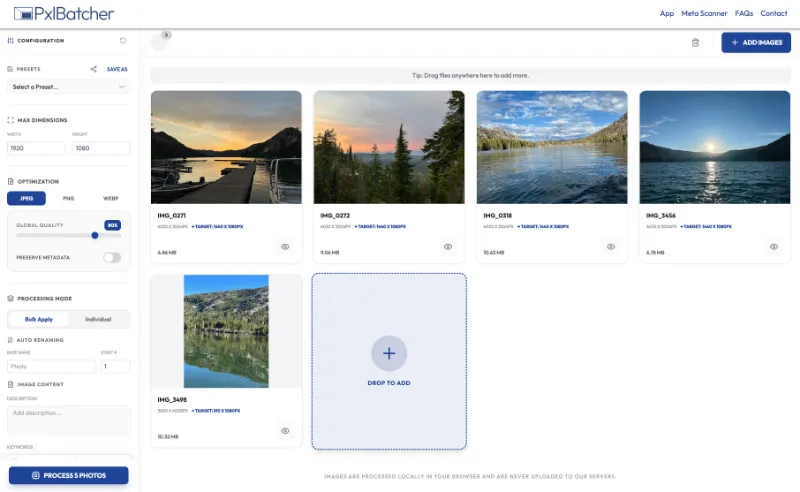
  • Speed & Scale: Process up to 500 images simultaneously with a Pro account (20 for Free users).
  • One-Click Workflow: Apply compression, resizing, and metadata to your entire batch in seconds.
  • Local Processing: Your images never leave your computer, ensuring 100% privacy and instant speed.
PxlBatcher interface with nature photos uploaded.
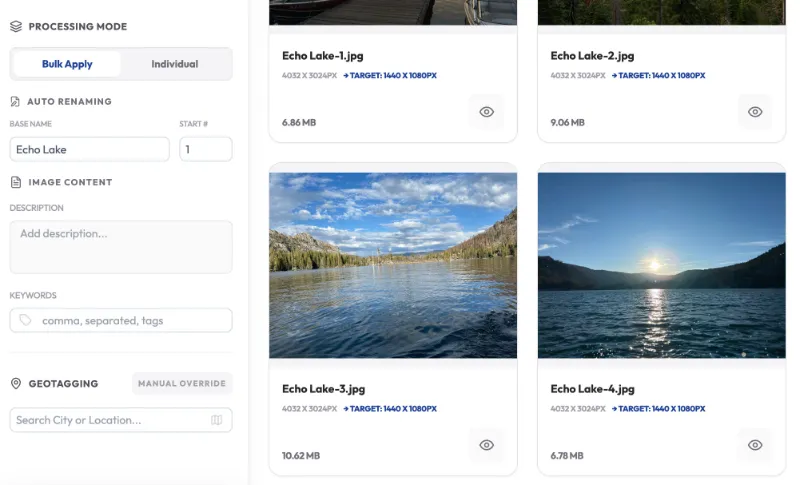
Echo Lake image processing interface screen.

Bulk Renaming

Transform messy filenames like IMG_4821.jpg into SEO-friendly assets that search engines love.

  • Smart Sequencing: Set a custom base name and let PxlBatcher automatically handle the numbering.
  • Gallery Ready: Perfect for organizing product catalogs, event galleries, or blog assets.
  • SEO Optimization: Instantly create descriptive, keyword-rich filenames for better image search rankings.

Image Compression

Boost your site speed and Core Web Vitals without sacrificing visual quality.
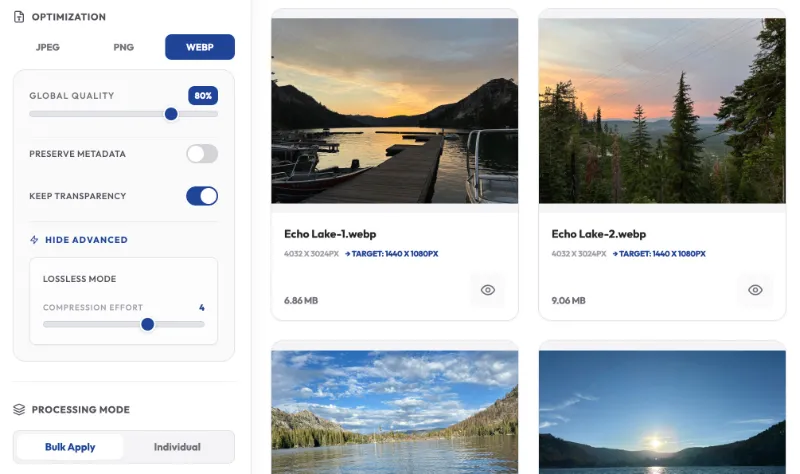
  • Next-Gen Formats: Convert and compress into WebP for the best performance-to-quality ratio.
  • Universal Support: Full optimization for standard JPEG and PNG files.
  • Balance Quality: Advanced algorithms reduce file size by up to 80% while keeping images crisp.
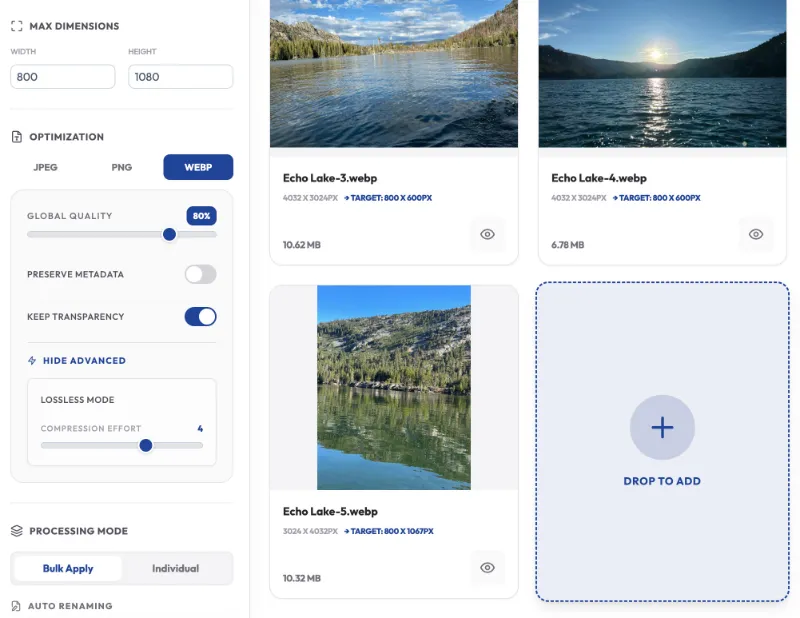
Image optimization settings panel and preview thumbnails.
Image optimization settings for Echo Lake photos.

Max-Dimension Settings

Ensure every image fits your website perfectly, regardless of its original size or orientation.

  • Orientation Aware: PxlBatcher intelligently detects portrait vs. landscape and applies the correct constraints.
  • Responsive Ready: Scale down high-res photos to web-friendly dimensions in one go.
  • Aspect Ratio Preservation: Never worry about “stretched” or “squashed” images; your original proportions stay intact.

Save and Share Presets

Save multiple configurations to match routine projects and share with clients, co-workers or contractors using the share link.
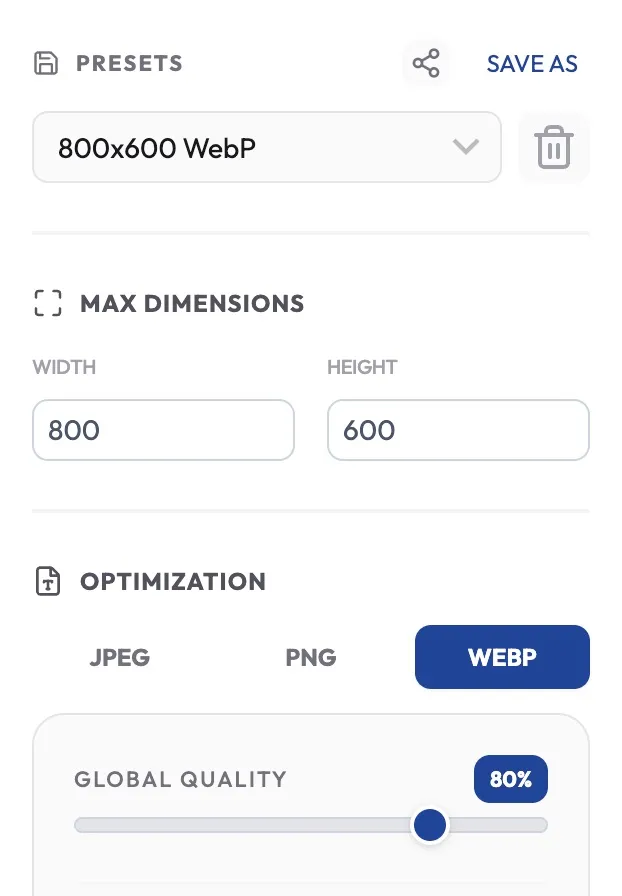
  • Save Presets: Save settings for your project files for increased efficiency.
  • Share Link: Load your settings and click the share link to copy a sharable link that will load all your custom settings. Share this with a client or a colleague to ensure you are on the same page.
  • Locally Stored Settings: Settings are saved to your browser’s local storage.
Image format and quality settings screen interface.
Echo Lake scenic view with mountains and sky

SEO Metadata

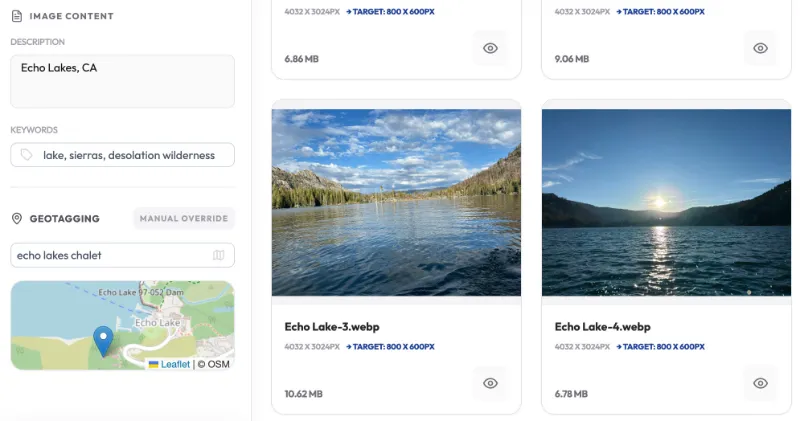
Inject hidden data that helps Google understand exactly what your images are about.

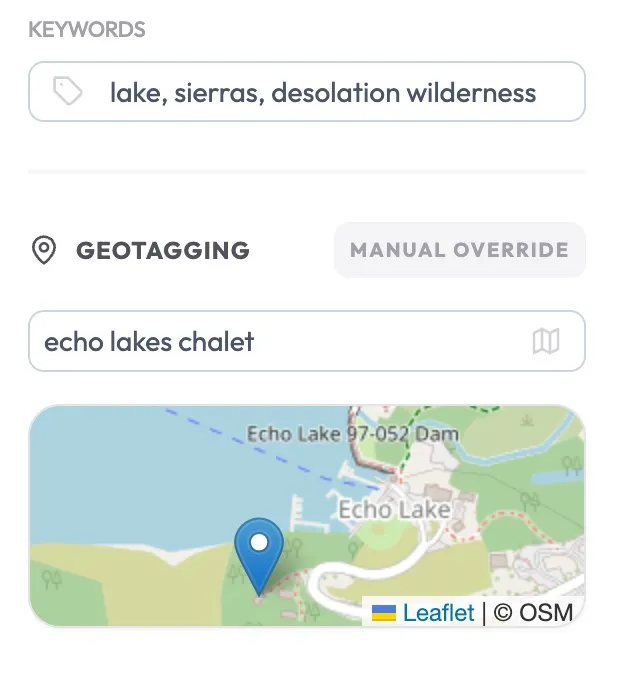
  • Rich Descriptions: Add detailed ALT-style descriptions directly into the image metadata.
  • Keyword Injection: Embed tags and keywords to improve your “Image Search” visibility.
  • Global Updates: Apply a single set of tags to an entire batch or customize them one by one.

GeoTagging

  • Local Relevance: Embed GPS coordinates into JPEGs and WebP files to boost “near me” search rankings.
  • Standard Compliance: Uses industry-standard EXIF and XMP data that search engines and map services trust.
  • Google Maps Synergy: Help your Google Business Profile images show up for local customers in your service area.
Map showing Echo Lakes Chalet location.
PxlBatcher interface with nature photos uploaded.